What is Unraid?
If you’ve ever wanted your own home server but felt a bit intimidated by the technical side of things — Unraid might just be your new best friend!
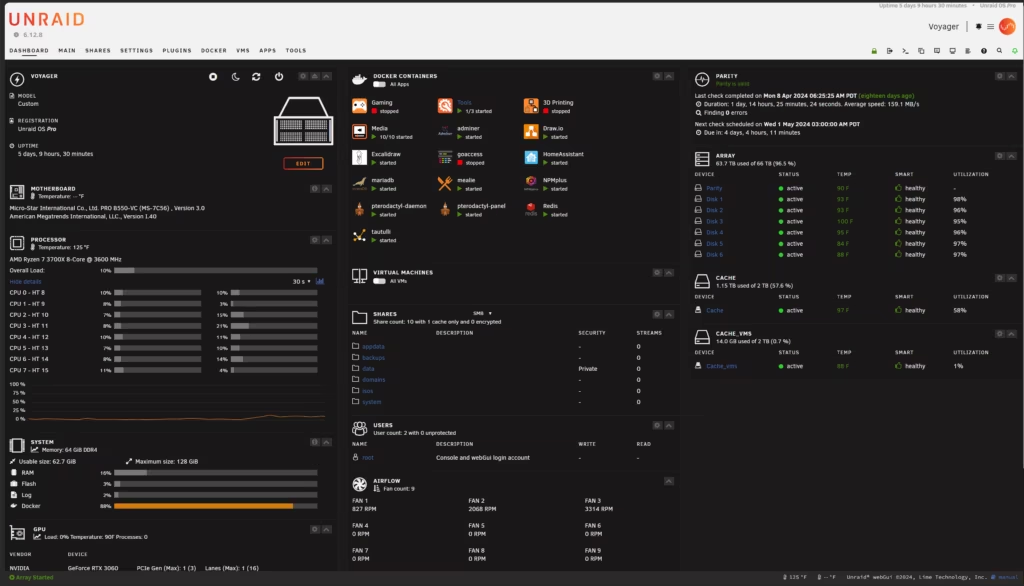
Unraid is a server/NAS (Network Attached Storage) operating system built on Linux. What makes it special is that it runs straight from a USB stick that you set up yourself, and it’s incredibly lightweight — using less than 2GB of RAM and barely tickling your CPU. The really great news for beginners? It runs on pretty much any hardware you’ve got lying around, though like most things in life, newer and beefier hardware will give you a smoother ride.
To give you a real-world example — I started out running Unraid on an Intel i5 7500 (7th gen), 16GB of DDR4 RAM, and a 512GB SATA SSD as cache, with 1TB hard drives making up the storage array. It worked great! More recently I’ve upgraded to an AMD Ryzen 7 5700G, 48GB of RAM, and a 512GB NVMe SSD for cache — and the difference has been brilliant. I’m a tinkerer at heart though, so I upgrade as and when I need to, not just for the sake of it!
You can find everything Unraid has to offer (including pricing) over at unraid.net.
What can it actually do?
Great question! There’s a lot to love about Unraid, so let’s walk through the highlights:
NAS
Setting up your storage in Unraid is surprisingly straightforward. Head to the “Main” tab and you can configure your storage array with a choice of file systems — XFS is a great starting point for beginners, while BTRFS and ZFS are there if you want to get more advanced later on. Sharing files across your network is easy too, with both Samba (Windows-friendly) and NFS options available. Apple users will be pleased to know there’s even built-in support for Time Machine backups! User permissions and share security are also nicely customisable.
Virtual Machines (VMs)
Think of a virtual machine as a computer running inside your computer — useful for testing software, running a different OS, or keeping things nicely isolated. Unraid strikes a really nice balance here: it’s simple enough for beginners to get something up and running, but has plenty of advanced options when you’re ready for them — things like CPU pinning, memory allocation, TPM support, and even alternative CPU architectures.
Docker Containers
Docker is a fantastic way to run apps in neat little isolated “boxes” called containers, each with everything they need bundled inside. Unraid makes this really accessible — you can pull containers straight from Docker Hub, but the real star of the show is Community Applications (CA). It’s a curated library of hundreds of pre-configured container templates, from ad-blockers like Pi-hole and AdGuard Home, to VPN clients and much more. Tweaking them is simple, and you can even link containers together using Docker networks. If you’re new to Docker, this video is a great place to start
LXC (Linux Containers)
LXC isn’t installed by default, but it’s available through Community Applications and is well worth adding. While Docker is great for running individual apps, LXC lets you run a more complete lightweight system — handy if you want to bundle several apps together in one place. The plugin is maintained by the brilliant ich777, who has a bunch of ready-made setup scripts with full instructions over on his GitHub page.